Uploads market prices
Buy and sell orders, price histories, and gold prices go to the Albion Online Data Project, keeping AFM and community tools fresh.
 Albion Free Market
AFM DATA CLIENT FOR DESKTOP
Upload market prices, keep your own prices private, send your specs to AFM, and see exactly how every session went: silver per hour, damage, fame, loot, gathering, and a map of where you went. Free and open source.
Windows updates install by themselves. On Linux and macOS, you install updates yourself.
The client passively reads information the game already sends you. Install it once, leave it in the system tray, and it does the rest.
Buy and sell orders, price histories, and gold prices go to the Albion Online Data Project, keeping AFM and community tools fresh.
Private mode sends your scanned orders only to AFM for your own flips and price tools, shared just with the people you choose.
Your character specs go to your AFM account, along with your island plots and Estimated Market Value data.
Combat, gathering, fishing, loot, and silver are saved into sessions automatically, for you or your whole party.
A live map follows you through each zone, and any past run can be replayed with your path, kills, and loot.
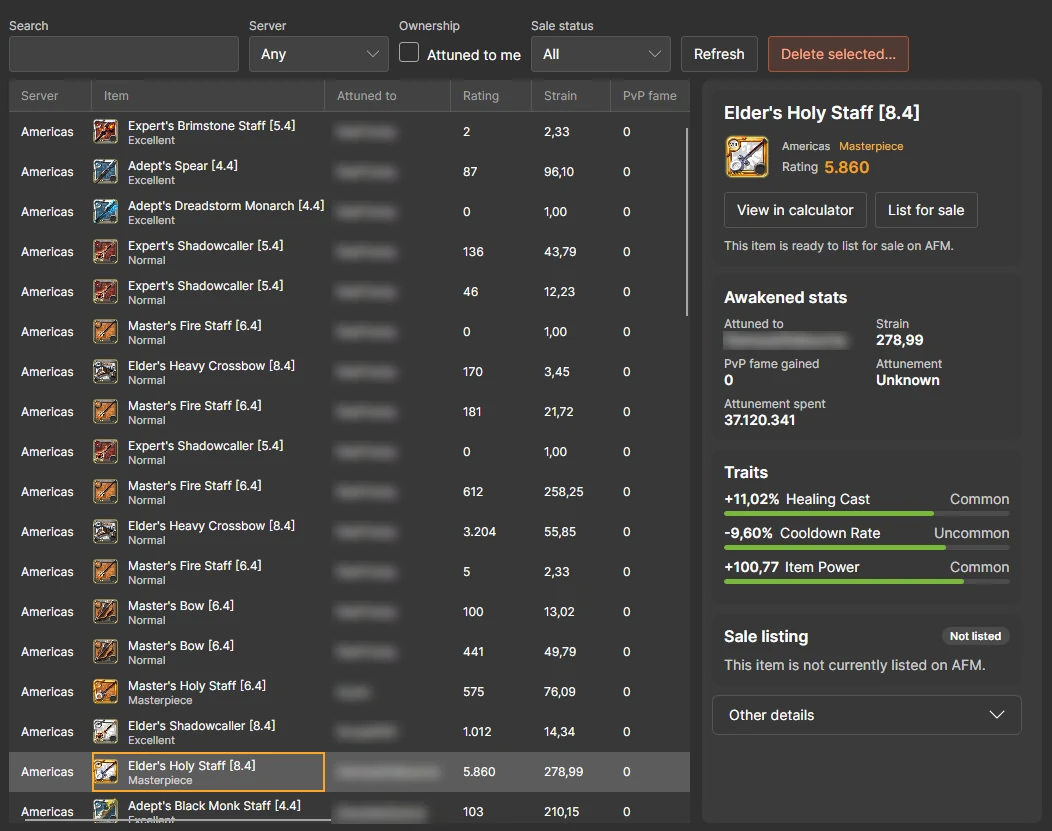
Every instant trade, completed market order, and awakened item you see is kept in a searchable history.
ACTIVITY TRACKER
A session starts when you leave town for the open world, a dungeon, or the Mists, or when you press Start session, and runs until you end it, switch character, or stop moving for 30 minutes. Each dungeon, Mists visit, or stretch of open world becomes a run from when you enter it, and each fight an encounter. Your history stays on your computer.
Session totals and charts
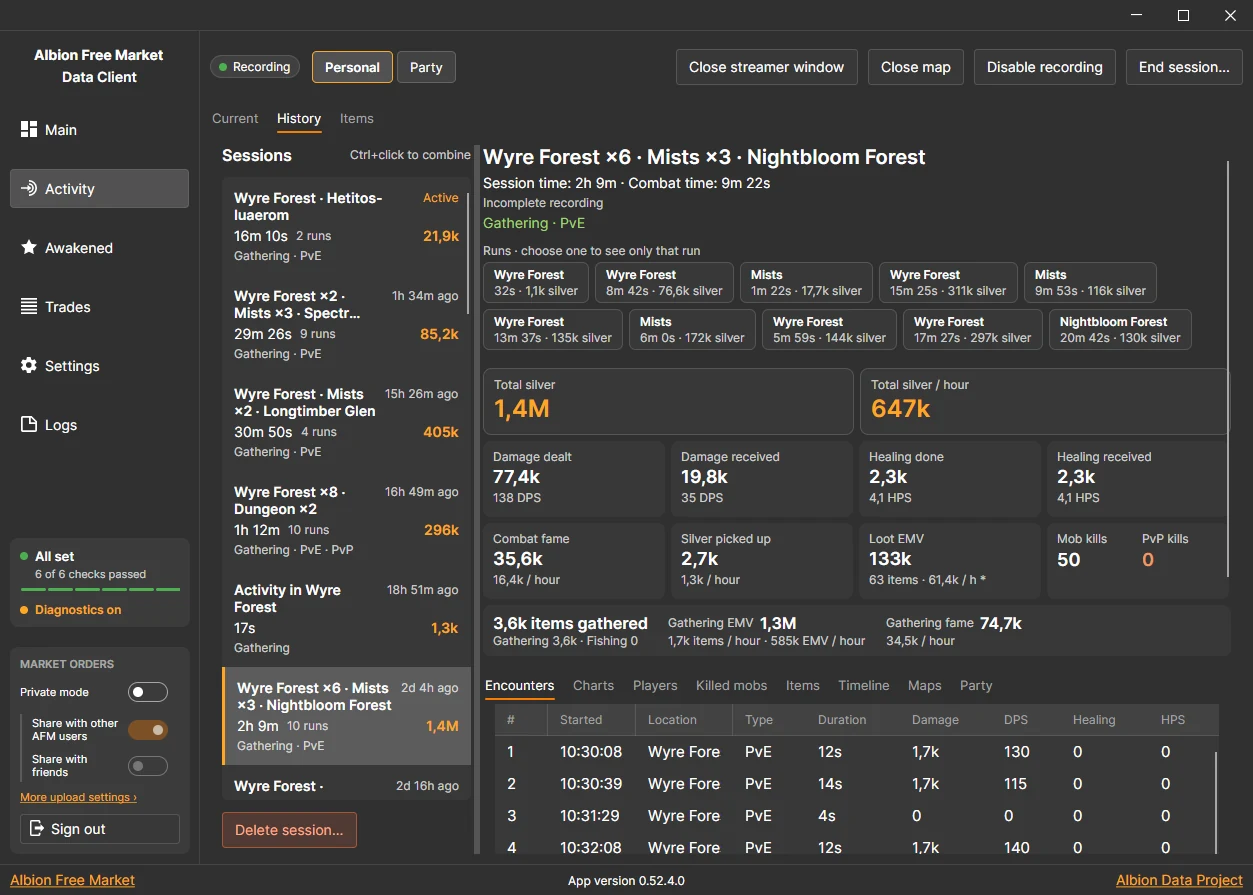
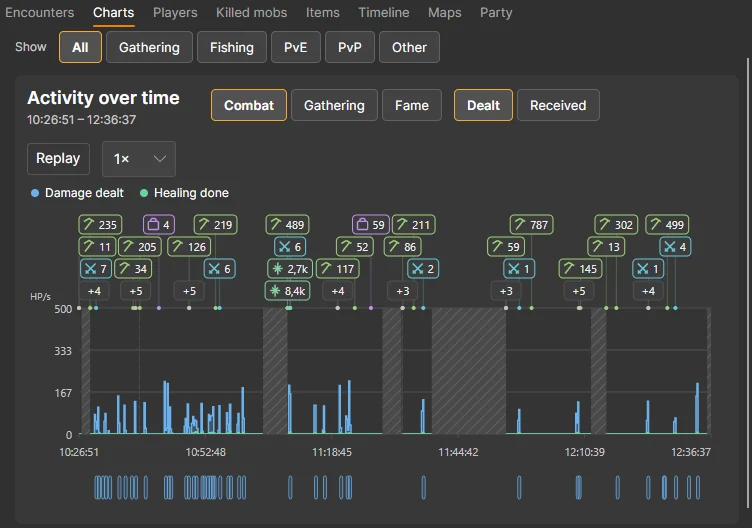
Every session shows total silver and silver per hour, with damage, healing, fame, kills, loot, and gathering. Charts show how it went, with markers for kills, loot, and gathering, and every fight along the bottom.
Activity map
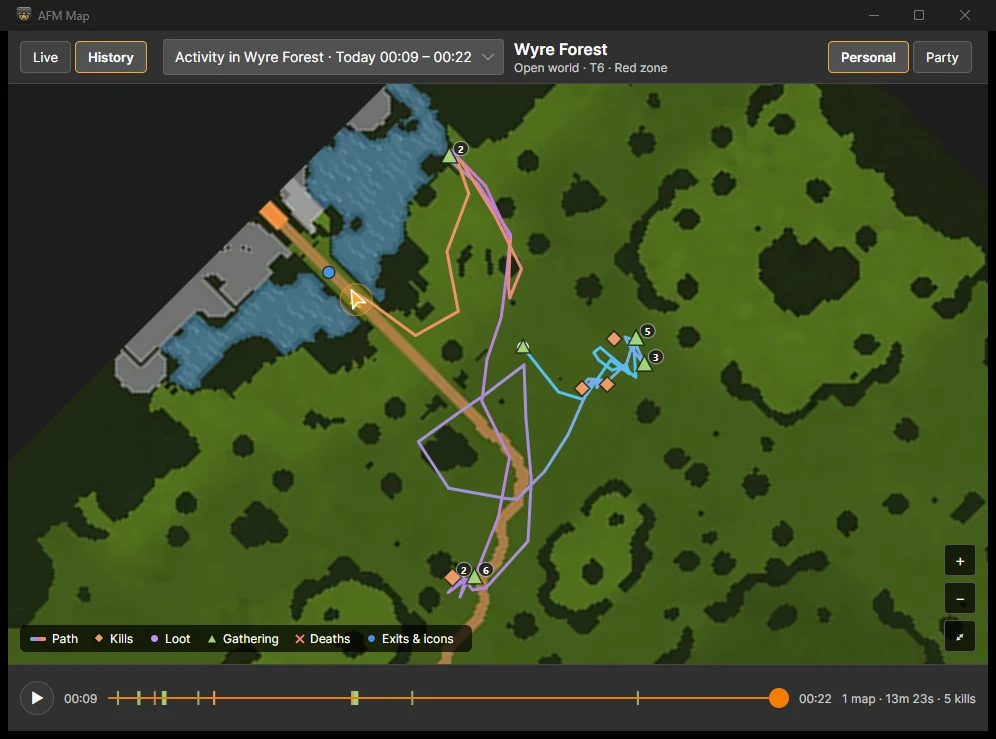
Open the map in its own window to see where you went, with your kills, loot, gathering, deaths, and zone exits.
Loot and gathering
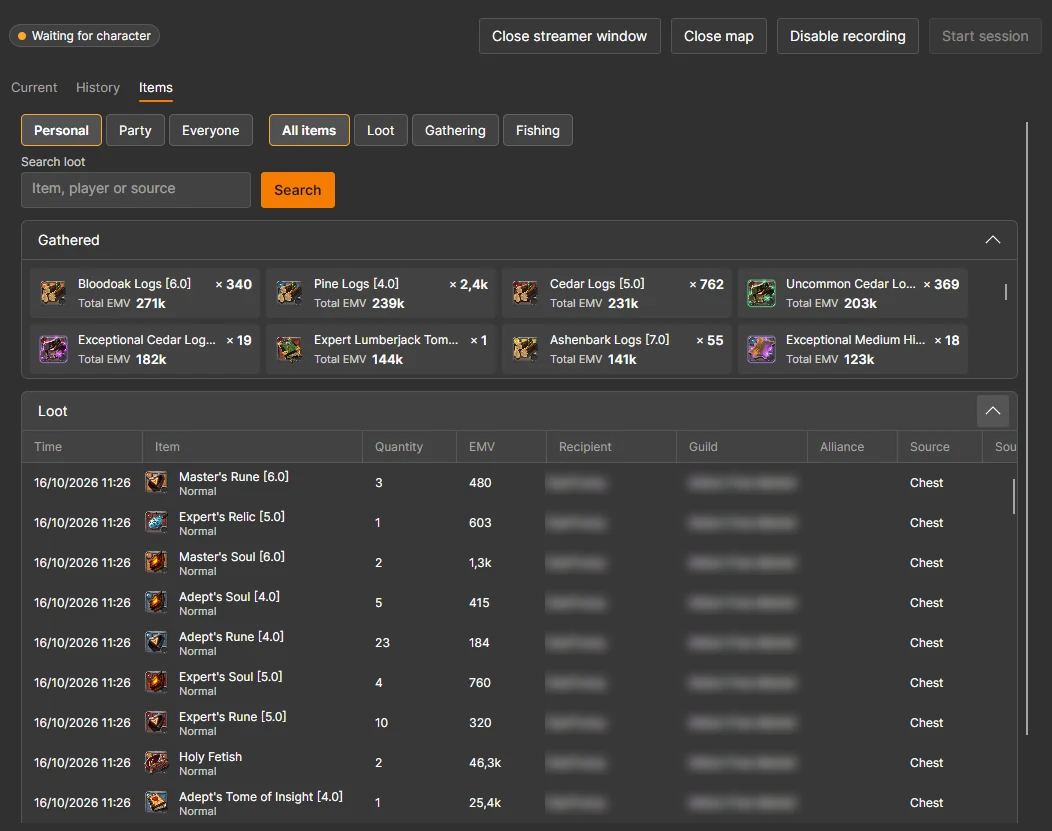
Items adds up everything you looted, gathered, and fished across your sessions, valued with Estimated Market Value (EMV).
Every detail
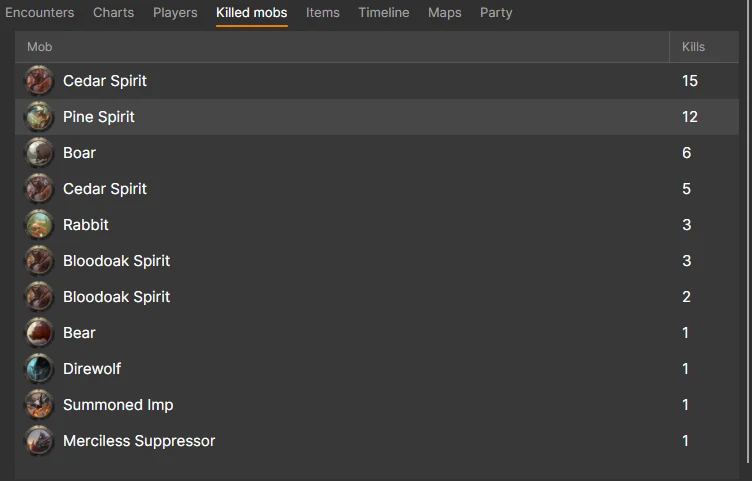
Each session breaks down into encounters, players, killed mobs, items, a full timeline, the maps you visited, and your party.
UPLOADS
By default, the client uploads market orders and price histories to the Albion Online Data Project, so AFM and every other community tool get fresher data. Sign in to AFM to do more with it.
Setup checklist
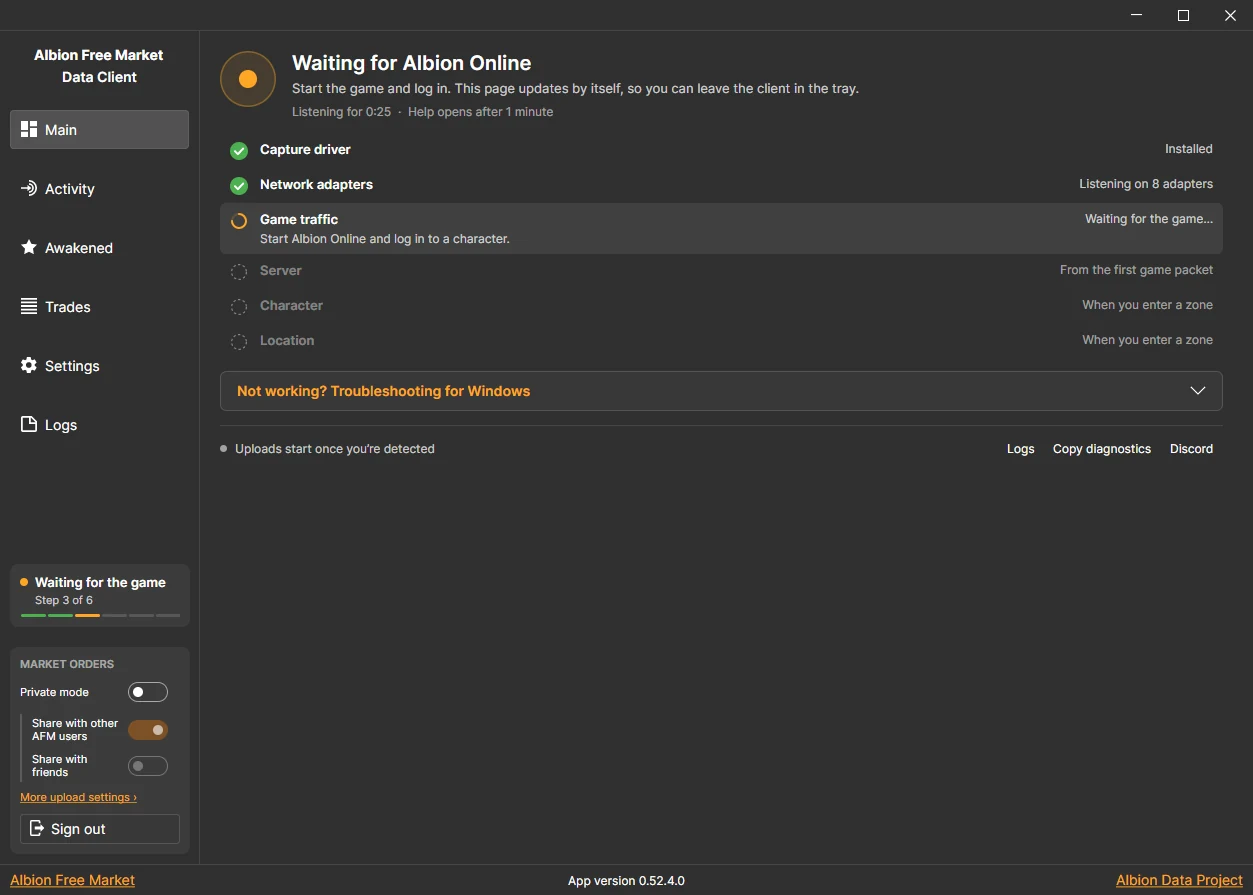
The Main tab checks every step for you, from the capture driver to your server, character, and location, and shows help for your system when something is missing.
Private prices and your AFM account
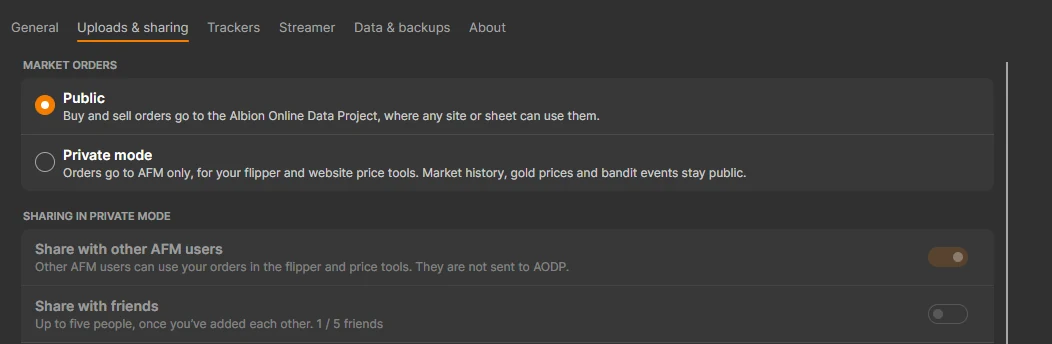
Upload buy and sell orders publicly, or switch to Private mode to keep them for your AFM flipper and website price tools.
YOUR RECORDS
Trades
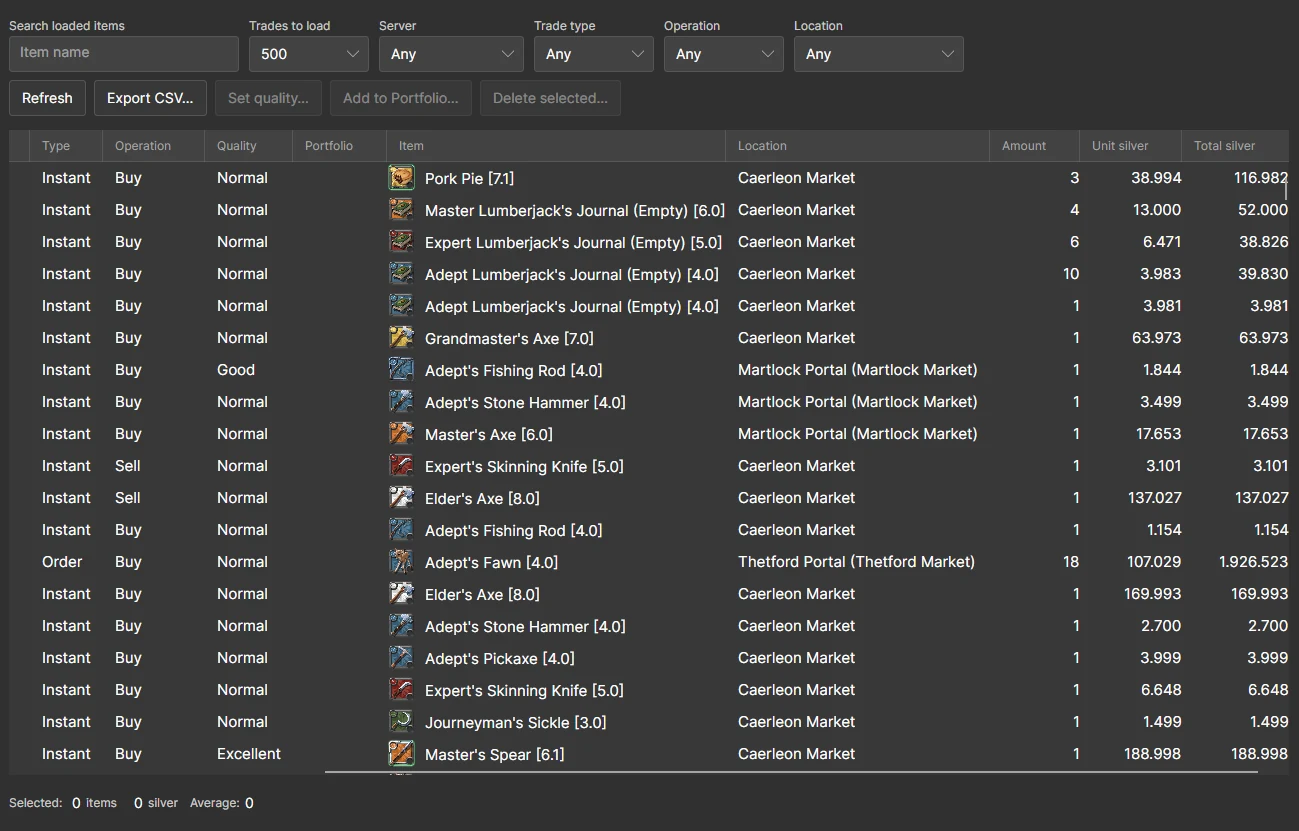
The client stores your instant trades and the completed orders in your market mails, so you can see what you paid, where an item traded, and when.
Awakened items
Awakened items you see in the game are saved with their rating, strain, attunement, and traits.
GET STARTED
Get the installer for Windows, Linux, or macOS from the latest release on GitHub.
On Windows, the installer adds the packet capture driver if you need one. On macOS, you allow capture once. On Linux, you install libpcap.
Start Albion Online. The Main tab checks each step, and uploads and activity tracking start once your character is detected.
Install it once, leave it in the system tray, and open it whenever you want to see how your sessions went.
ANDROID BETA
The AFM Data Client Mobile passively captures buy and sell orders from Albion Online on Android. It is a focused alternative for mobile players and does not include the desktop client's trackers or local histories.
Albion Free Market is a tool designed to be used in accordance with the terms of service of Albion Online, as set by Sandbox Interactive (SBI). Our service utilizes passive monitoring of network traffic, a practice which SBI has publicly stated it does not consider an offense.
SBI allows passive monitoring of network traffic for analysis: "As some of you have already pointed out, using WireShark or similar tools to analyze network traffic is undetectable from our end and we therefore do not consider it an offense. The network packets do not contain any secret information, it is basically all stuff you can see on screen in the game in some form. If you wanna build a tool based on that - fine." (source)
While we strive to ensure compliance, SBI's policies may change, and the interpretation of their rules is at their sole discretion. We do not have control over SBI's decisions, and they do not officially endorse any third-party applications. You are solely responsible for understanding and complying with all applicable SBI policies, and for any consequences that may affect your game account. If you have any doubts, contact SBI directly to make an informed decision.
By using Albion Free Market and any related data client, you agree to be responsible for your actions and to use the tool at your own risk. This includes any consequences that may arise from your use of the service or the data client, such as impacts on your game account.
© 2023-2026 Albion Free Market
Albion Free Market is not affiliated with Albion Online or Sandbox Interactive GmbH
All Albion Online Assets are property of Sandbox Interactive GmbH.